| screens | ||
| static | ||
| templates | ||
| app.py | ||
| docker-compose.yml | ||
| Dockerfile | ||
| gunicorn.conf.py | ||
| README.md | ||
| requirements.txt | ||
| start.sh | ||
| wsgi.py | ||

VideoPress — FFmpeg Video Compressor
NOTE: This application was built with the help of AI.
- The application code has been reviewed by this developer.
- The application code has been tested by this developer.
If you find any issues, please feel free to post an issue, and / or a pull request for a fix.
What is VideoPress?
A web-based video compression tool served via Gunicorn + gevent (WSGI), containerised with Docker. FFmpeg compresses video files to approximately 1/3 their original size. All file-system access is restricted to a single configurable media root for security.
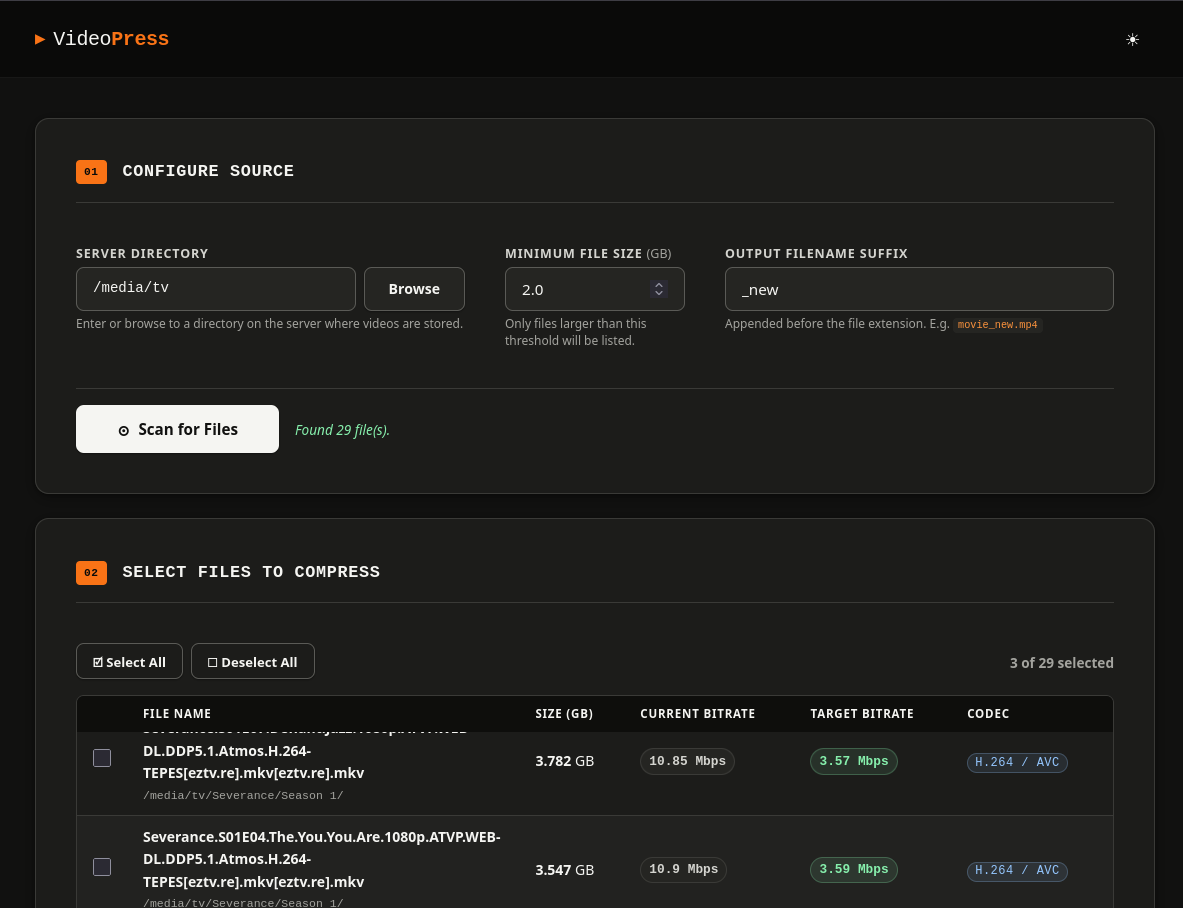
Quick start with Docker (recommended)
Step. 1. You have two options
A. Build the image
docker build -t videopress .
B. Use the pre-built image
Already included in the docker-compose.yml file witht his project.
Step 2. Run — replace /your/video/path with the real path on your host
A. Using docker run:
docker run -d \
  --name videopress \
  --restart unless-stopped \
  -p 8080:8080 \
  -v /your/video/path:/media \
  videopress
B. Using Docker Compose
docker compose up -d
Step 3. Open http://localhost:8080
Bare-metal (without Docker)
Requirements
| Tool | Version |
|---|---|
| Python | 3.8+ |
| FFmpeg + FFprobe | any recent |
| pip packages | see requirements.txt |
# Create a python virtual environment to run in
python3 -m venv videopress

#start the virtual environment
source ./videopress/bin/activate

# Install Python dependencies
pip install -r requirements.txt

# Development server (Flask built-in — not for production)
./start.sh

# Production server (Gunicorn + gevent)
MEDIA_ROOT=/your/video/path ./start.sh --prod
# or on a custom port:
MEDIA_ROOT=/your/video/path ./start.sh --prod 9000
Security model
Every API call that accepts a path validates it with safe_path() before any
OS operation. safe_path() resolves symlinks and asserts the result is inside
MEDIA_ROOT. Requests that attempt directory traversal are rejected with
HTTP 403. The container runs as a non-root user (UID 1000).
Architecture
Browser  ──HTTP──▶  Gunicorn (gevent worker)
                        │
                        ├─ GET  /                 → index.html
                        ├─ GET  /api/config        → {"media_root": ...}
                        ├─ GET  /api/browse        → directory listing
                        ├─ POST /api/scan          → ffprobe metadata
                        ├─ POST /api/compress/start → launch ffmpeg thread
                        ├─ GET  /api/compress/progress/<id>  ← SSE stream
                        └─ POST /api/compress/cancel/<id>
Why gevent? SSE (/api/compress/progress) is a long-lived streaming
response. Standard Gunicorn sync workers block for its entire duration.
Gevent workers use cooperative greenlets so a single worker process can
handle many concurrent SSE streams and normal requests simultaneously.
Why workers=1? Job state lives in an in-process Python dict. Multiple worker processes would not share it. One gevent worker with many greenlets is sufficient for this workload. To scale to multiple workers, replace the in-process job store with Redis.
Environment variables
| Variable | Default | Description |
|---|---|---|
MEDIA_ROOT |
/media |
Root directory the app may access |
PORT |
8080 |
Port Gunicorn listens on |
LOG_LEVEL |
info |
Gunicorn log level |
File layout
videocompressor/
├── app.py              ← Flask application + all API routes
├── wsgi.py             ← Gunicorn entry point  (imports app from app.py)
├── gunicorn.conf.py    ← Gunicorn configuration (gevent, timeout, logging)
├── requirements.txt    ← Python dependencies
├── Dockerfile          ← Two-stage Docker build
├── docker-compose.yml  ← Volume mapping, port, env vars
├── start.sh            ← Helper script (dev + prod modes)
├── README.md
├── templates/
│   └── index.html
└── static/
    ├── css/main.css
    └── js/app.js